





Piattaforma cloud
con proctoring live
(webcam/microfono, verifica identità).
Prova incrementale
su 4 step, per un totale
di 168 domande (42 per step).
75% per passare allo
step successivo.
Nessuna bocciatura definitiva; ottieni il livello raggiunto in ciascuna area. Puoi ripetere l’esame quando vuoi per migliorare: il nuovo certificato sostituisce il precedente sul registro.
La CIAD è obbligatoria per tutti i profili ATA tranne il collaboratore scolastico. Quindi se sei assistente amministrativo, assistente tecnico, cuoco, guardarobiere, infermiere o operatore dei servizi agrari, sì, riguarda anche te.
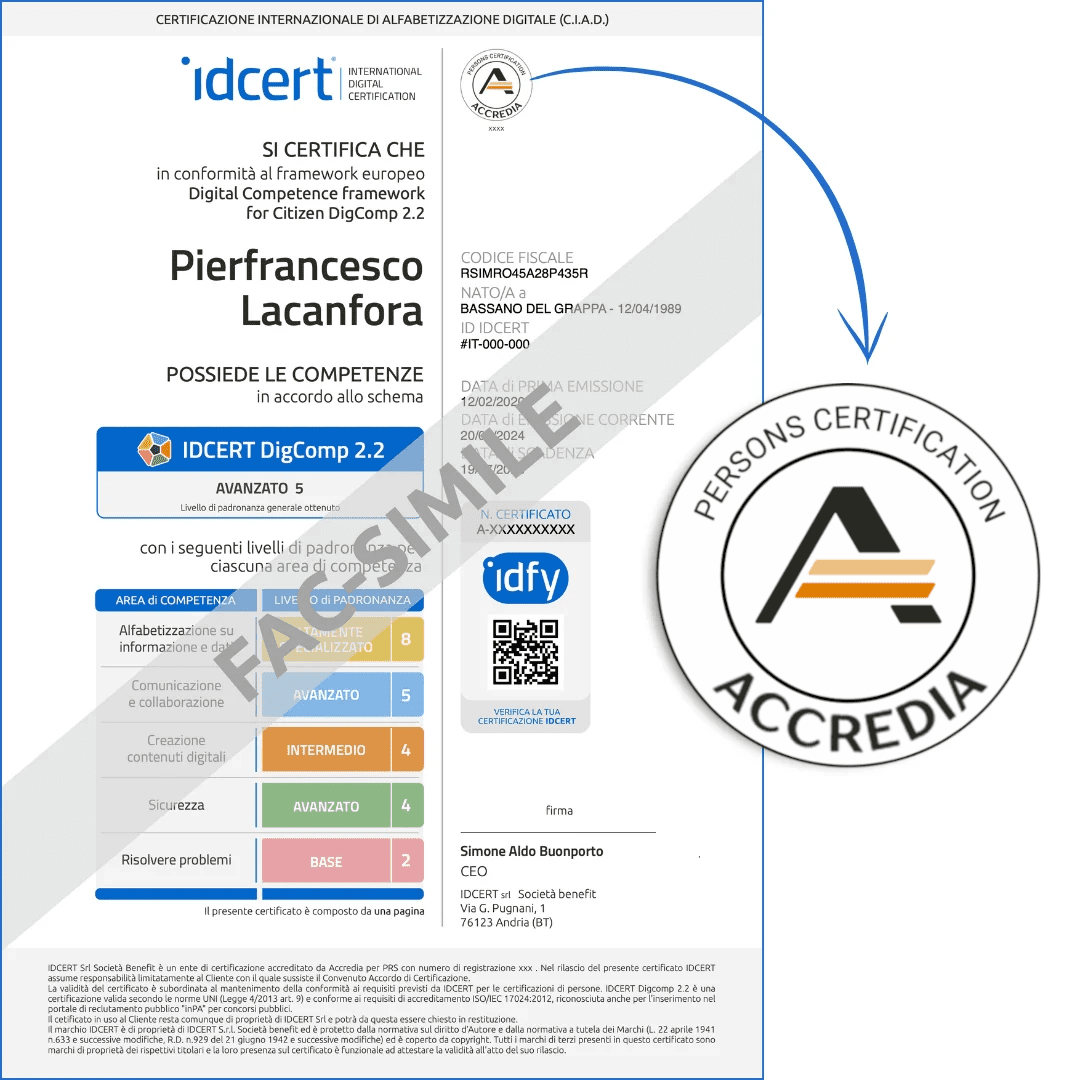
È la Certificazione Internazionale di Alfabetizzazione Digitale, basata sul framework europeo DigComp 2.2. In pratica è un esame online che certifica le tue competenze digitali — non un corso, non un attestato di partecipazione, ma una vera e propria certificazione riconosciuta a livello internazionale e registrata nella banca dati pubblica di Accredia.
Non sono richiesti prerequisiti specifici: basta avere un dispositivo (non tablet o smartphone) con connessione stabile ad internet. L’esame è 100% online e fruibile autonomamente dal lunedì al sabato dalle ore 09:00 alle ore 18:00.
Si fa tutto online, dal tuo computer, con sorveglianza in tempo reale tramite webcam (il cosiddetto proctoring dal vivo). Ti serve lo SPID per accedere. L’esame è composto da 168 domande divise in 4 step; per passare allo step successivo devi rispondere correttamente almeno al 75% delle domande di ogni step. Non c’è bisogno di prenotare: lo fai quando vuoi, on demand.
4 anni dalla data di rilascio. Puoi aggiornarla prima della scadenza se vuoi, e grazie agli accordi internazionali EA/IAF è riconosciuta in oltre 70 paesi.
Purtroppo no. Il TAR Lazio ha stabilito con sentenza n. 04293/2026 che nessun altro titolo informatico può sostituire la CIAD. Non contano certificazioni generiche, patenti informatiche datate o attestati di corsi. L’unica valida è una certificazione conforme a DigComp 2.2, rilasciata da un ente accreditato da Accredia e registrata nella loro banca dati pubblica.
Dipende da cosa vuoi fare con la tua posizione. Nel 2025, chi era già inserito e aggiornava solo punteggio o servizio non era obbligato ad averla. Ma per il 2026 si ipotizza che l’obbligo possa essere esteso anche a chi aggiorna la propria posizione — non solo ai nuovi inserimenti. La nota ministeriale ufficiale non è ancora uscita, quindi al momento è ancora un’ipotesi. Meglio però non farsi trovare impreparati.
Si, questa è la novità potenziale del 2026. Se vuoi aggiornare il punteggio o il servizio nella graduatoria in cui sei già inserito, potresti dover dimostrare di avere la CIAD. Valuta di conseguirla: l’esame si fa online e il certificato arriva entro 24 ore dopo delibera.
È un requisito di accesso fondamentale: senza, non puoi presentare la domanda (per i profili obbligati). Però no, non aggiunge punteggio.
Non esiste una bocciatura definitiva. Alla fine dell’esame ti viene restituito il livello raggiunto in ognuna delle 5 aree di competenza digitale. Prima di effettuare l’esame vero e proprio potrai allenarti con una simulazione quante volte vuoi.
Le tue impostazioni sulla privacy
Gestire le preferenze di consenso
Necessario
Analisi
Video incorporati
Google Fonts
Marketing
Facebook Advanced Matching
Facebook CAPI
IDCERT s.r.l.
We firmly believe that the internet should be available and accessible to anyone, and are committed to providing a website that is accessible to the widest possible audience, regardless of circumstance and ability.
To fulfill this, we aim to adhere as strictly as possible to the World Wide Web Consortium’s (W3C) Web Content Accessibility Guidelines 2.1 (WCAG 2.1) at the AA level. These guidelines explain how to make web content accessible to people with a wide array of disabilities. Complying with those guidelines helps us ensure that the website is accessible to all people: blind people, people with motor impairments, visual impairment, cognitive disabilities, and more.
This website utilizes various technologies that are meant to make it as accessible as possible at all times. We utilize an accessibility interface that allows persons with specific disabilities to adjust the website’s UI (user interface) and design it to their personal needs.
Additionally, the website utilizes an AI-based application that runs in the background and optimizes its accessibility level constantly. This application remediates the website’s HTML, adapts Its functionality and behavior for screen-readers used by the blind users, and for keyboard functions used by individuals with motor impairments.
If you’ve found a malfunction or have ideas for improvement, we’ll be happy to hear from you. You can reach out to the website’s operators by using the following email
Our website implements the ARIA attributes (Accessible Rich Internet Applications) technique, alongside various different behavioral changes, to ensure blind users visiting with screen-readers are able to read, comprehend, and enjoy the website’s functions. As soon as a user with a screen-reader enters your site, they immediately receive a prompt to enter the Screen-Reader Profile so they can browse and operate your site effectively. Here’s how our website covers some of the most important screen-reader requirements, alongside console screenshots of code examples:
Screen-reader optimization: we run a background process that learns the website’s components from top to bottom, to ensure ongoing compliance even when updating the website. In this process, we provide screen-readers with meaningful data using the ARIA set of attributes. For example, we provide accurate form labels; descriptions for actionable icons (social media icons, search icons, cart icons, etc.); validation guidance for form inputs; element roles such as buttons, menus, modal dialogues (popups), and others. Additionally, the background process scans all the website’s images and provides an accurate and meaningful image-object-recognition-based description as an ALT (alternate text) tag for images that are not described. It will also extract texts that are embedded within the image, using an OCR (optical character recognition) technology. To turn on screen-reader adjustments at any time, users need only to press the Alt+1 keyboard combination. Screen-reader users also get automatic announcements to turn the Screen-reader mode on as soon as they enter the website.
These adjustments are compatible with all popular screen readers, including JAWS and NVDA.
Keyboard navigation optimization: The background process also adjusts the website’s HTML, and adds various behaviors using JavaScript code to make the website operable by the keyboard. This includes the ability to navigate the website using the Tab and Shift+Tab keys, operate dropdowns with the arrow keys, close them with Esc, trigger buttons and links using the Enter key, navigate between radio and checkbox elements using the arrow keys, and fill them in with the Spacebar or Enter key.Additionally, keyboard users will find quick-navigation and content-skip menus, available at any time by clicking Alt+1, or as the first elements of the site while navigating with the keyboard. The background process also handles triggered popups by moving the keyboard focus towards them as soon as they appear, and not allow the focus drift outside it.
Users can also use shortcuts such as “M” (menus), “H” (headings), “F” (forms), “B” (buttons), and “G” (graphics) to jump to specific elements.
We aim to support the widest array of browsers and assistive technologies as possible, so our users can choose the best fitting tools for them, with as few limitations as possible. Therefore, we have worked very hard to be able to support all major systems that comprise over 95% of the user market share including Google Chrome, Mozilla Firefox, Apple Safari, Opera and Microsoft Edge, JAWS and NVDA (screen readers).
Despite our very best efforts to allow anybody to adjust the website to their needs. There may still be pages or sections that are not fully accessible, are in the process of becoming accessible, or are lacking an adequate technological solution to make them accessible. Still, we are continually improving our accessibility, adding, updating and improving its options and features, and developing and adopting new technologies. All this is meant to reach the optimal level of accessibility, following technological advancements. For any assistance, please reach out to